AI photoshoot: new portraits of you from five photos
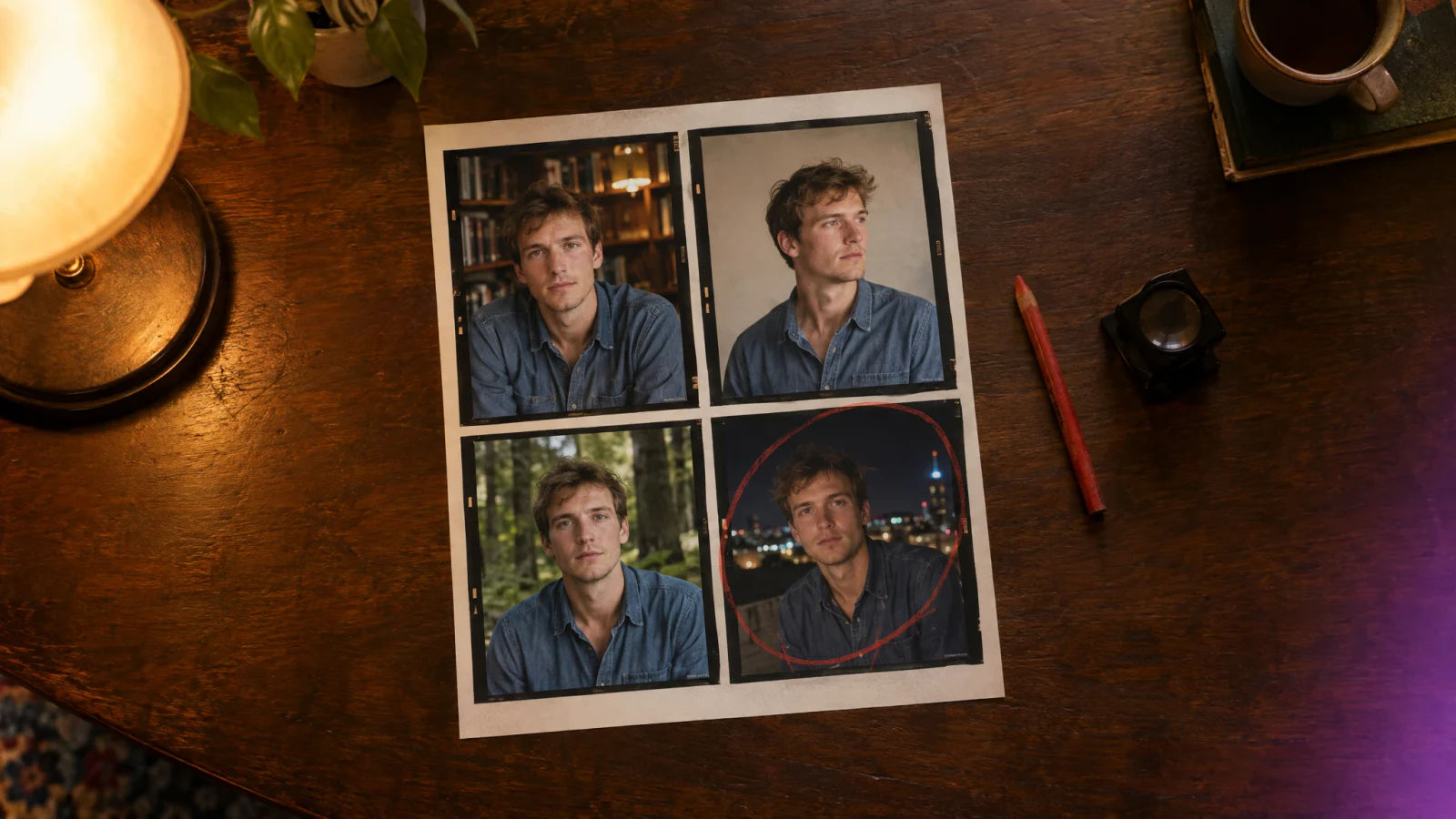
An AI photoshoot makes new portraits of you from a handful of your own photos, without a studio or a photographer. In AiShots you build a profile from five guided photos once, then direct every shoot yourself: you pick the light, the set, the era, the lens and where the camera stands, and four frames come back on a contact sheet.
What do you need before the first shoot?
A profile of one person: four face photos and one full-body photo. The app guides you through each one.
- Front: a relaxed, neutral face, mouth closed, hair off your face.
- Smile: a real smile with teeth showing.
- Left side and Right side: head turned so the camera sees each cheek and ear.
- Body: head to toe, with space above your head and below your feet.
Leave out sunglasses, other people, dark backlit shots and filtered photos. They make the frames look less like you. Only use photos of yourself, or of someone who agreed to it.
How does a session work?
- In the Studio tab, tap Set up a shoot and choose who is in front of the lens, or tap New profile.
- Choose the Light, Set, Era, Lens and Angle. An optional Note, like "holding a coffee", applies to every frame.
- Tap Shoot a roll. Four frames develop side by side, each with its own pose and expression.
- On the Contact sheet, hold a frame to circle it as a keeper, then tap Save keepers.
- Want a variation? Shoot another roll with the same setup, or open a keeper and rework it with a written edit or a one-tap look such as Oil portrait, Watercolor or Clay figure. The original frame stays as it was.
Which choices change the roll?
| Control | Options in the app |
|---|---|
| Light | Window, Key, Rim, Neon, Golden hour |
| Set | Paper roll, Library, Rooftop at night, Forest, 1970s lounge, Greenhouse, or Your own place, described in your words |
| Era | 1920s, 1950s, 1970s, 1990s, Today, Future |
| Lens | 35mm (wide, set in frame), 85mm (head and shoulders), 135mm (close, soft background) |
| Angle | Mixed (a new angle every frame), Eye level, Low angle, High angle and six more |
Change one control and the whole roll changes with it. Library with Window light at 85mm reads as a quiet afternoon; the same profile on a Rooftop at night with Neon at 35mm looks like a different evening.
What does it not do?
- No videos or animation, only still frames.
- No portraits from a written prompt alone. Every shoot starts from a profile.
- No putting your face on someone else, and no recognizable public figures.
- Frames vary, which is why each roll gives you four to choose from.
What does it cost, and where do my photos go?
AiShots is free to download on iPhone and Android. Shooting rolls, saving keepers and the darkroom need the Pro subscription. The app shows the price for your country before you subscribe, and you can cancel any time in your App Store or Google Play subscription settings.
Your photos are used only to develop your portraits. The copies sent for processing are deleted automatically after a short time, and your profile stays on your phone. There is more about the app on the AiShots home page.
Frequently asked questions
Do I need a good camera for the profile photos?
No. Phone photos work well if they are sharp, evenly lit and unfiltered. Soft daylight from a window facing you is enough.
Can I make a profile of my partner or a friend?
Yes, as long as they agreed to it. The app asks you to use only photos of yourself or of people who said yes.
How many portraits do I get per shoot?
Each roll has four frames. You can shoot another roll with the same setup as often as you like, and keep only the frames you circle.
Can I shoot somewhere that is not in the list of sets?
Yes. Choose Your own place and describe the location in a sentence. Light, era, lens and angle still apply to it.